Duolingo
Project Brief
To design a new feature for DuoLingo that increases user retention and learning rates
About the Project
Time Window: 2.5-week sprint
Roles in project: UX researcher, interviewer
My Team:
Beth McNair - UX Designer
Rachael Sekamwa - UX Project Manager
Tools used: Zoom, Figma, Canva, pen & paper, Maze, Duolingo, tablet
Scope of work: To design a feature for the existing platform that integrates seamlessly with the current model while enriching the users’ learning experience
My team and I — Beth McNair and Rachael Sekamwa — conducted an experiment to design a new feature for the language-learning app Duolingo, with the aim of expanding our UX knowledge and expertise. We realized that Duolingo is one of the best-known language-learning platforms, largely because of its playful branding, low-to-no cost model, and effective marketing strategies. We found that existing language-learning apps lacked intuitive or enjoyable learning methods beyond repeating or typing words. Therefore, we conducted research to discover what additional feature might enrich the users’ experience.
Initial Research
For the first phase of our project, my team and I researched several other online learning apps and platforms in both comparative and competitive analyses. The comparative analysis examined Duolingo in relation to general online learning platforms, while the competitive analysis focused specifically on comparing Duolingo to its direct competitors to identify its strengths and weaknesses.
Comparative SWOT Analysis
For our comparative SWOT analysis, we tested Duolingo against LinkedIn Learning, Udemy, and Coursera, and we made several discoveries that helped Duolingo stand out, but it also pinpointed some areas in which it was weaker.
Duolingo’s colorful, gamified interface and free tier make language learning approachable and fun, giving it a usability edge over Coursera, Udemy, and LinkedIn Learning, which often have steeper learning curves or paywalls.
While Duolingo excels at motivating users through bite-sized lessons and gamification, it lacks immersive or instructor-led options that Coursera and LinkedIn Learning offer — a gap for advanced learners seeking deeper skill-building.
Partnerships with AI tools, educational institutions, and other apps could give Duolingo the ability to offer more robust, real-world practice scenarios and expand beyond its current language catalog.
Other platforms provide practical, accredited courses (including social sciences and professional skills), which may attract users seeking tangible career benefits — a value proposition Duolingo currently does not compete with directly.
Duolingo is the most accessible and engaging of the four, but to remain competitive, it could integrate more immersive learning features and social elements while maintaining its intuitive, game-like design.
Competitive Element Analysis
For our competitive analysis, we put Duolingo up against 3 of its competitors: Rosetta Stone, Memrise, and Babbel. We made even more crucial discoveries that helped us along in our journey to create a new feature for Duolingo.
Duolingo turns language learning into a game — with sections, XP points, streaks, leaderboards, and animated characters to sustain engagement. None of the other three platforms offer this full suite of gamification features.
Duolingo subscribers get real-time correction, motivational animations, and post-lesson rewards that reinforce progress and encourage daily use.
Duolingo’s interface combines translation, listening, typing, matching, and sentence-building to support different learning styles and active recall.
Duolingo’s bottom navigation offers quick access to home, quests, reviews, and profile, while visible streaks, stats, and achievements make progress tangible.
Duolingo’s brand uses bright colors (especially green for actions) and game-like elements (gems, hearts, fire icons) to signal progress and sustain motivation.
However, Duolingo does not have super in-depth instruction, while Rosetta Stone, Memrise, and Babbel have options for it.
All apps aside from Rosetta Stone use writing elements to inform translation and correction
Insights
Our final synthesis of this research helped our team deduce our first major insights:
The gamification elements in Duolingo are well liked by users and give the app an upper hand
Duolingo offers the most features in comparison to the competition
Our comparators have access to learning databases that Duolingo does not offer
AI is a common trend amongst our competitors and comparators alike
User Interviews
Now that our initial research was completed, we conducted our initial user interviews of actual Duolingo users to determine what a new feature for Duolingo would look like. We completed interviews with 6 different Duolingo users, and we acquired several key takeaways that would inform our research. Upon reception of these research categories, we derived several key takeaways to inform further research. From this, we defined our final 18 research categories::
After receiving this information, we had to separate all of the notes based on our research. Although we collected a substantial amount of data, we needed to narrow our findings. The 18 research categories, derived through affinity mapping, helped us understand what users would expect from a new Duolingo feature.
User Interview Takeaways
Persona
From our findings, we created the persona of Jasmine “JJ” Jones to help us map out future experiences our users would have with our new feature. JJ encapsulates of the key insights gleanrfrom our users. We used her needs, pain points, and goals to define our eventual problem statement and “How Might We” question, both of which are targeted at the needs of this project through JJ’s perspective.
“Jasmine is having a hard time remembering what she’s learned because she is unable to practice her new skills.”
📍 Washington, D.C.
🙎🏽♀️ 25-year-old female
👨👩👦 Single, lives in the city
Needs: an immersive environment, to have fun while learning, and consistent incentivization while she learns
Frustrated by: distractions to her lessons; such as them ending too early; not interacting with native speakers
Goals: To incorporate German into her daily life and not lose motivation as she learns
“How might we help Jasmine retain information that she’s learned?”
JJ’s Retrospective Journey with Duolingo
Our team recognized JJ’s key need: maintaining focus while learning German. As she advances through her lessons, she encounters obstacles associated with her subscription restrictions and lesson limitations. Over time, these restrictions increasingly frustrate her. This is where we started to notice the need for Duolingo’s new feature to be interactive and incentivized.
Step 1:
Decide to learn a new Language
Thoughts
“I am eager to learn today.”
“I am determined to do well in my lesson today.”
Feeling
😃
Excited
Step 2:
Complete First Duolingo Lesson
Thoughts
“I am interested in the content today.”
“Why is the lesson shorter than normal?”
“There are a lot of ads in my lesson.”
“I want to be incentivized.”
Feeling
😐
Neutral
Step 3:
Continue with Second Duolingo Lesson
Thoughts
“I want to know what I got wrong in my first lesson.”
“What are the reward points for?”
“What did I get wrong?”
“The lessons are really short.”
Feeling
😑
Annoyed
Feature Prioritization
Step 4:
Lesson Ends
Thoughts
“The Duolingo premium subscription level is annoying.”
“I am not allowed to finish my lessons. ”
Feeling
😡
Frustrated
From our findings with the journey map, JJ became increasingly frustrated the more she ran into the problem of having to upgrade her subscription level to continue her German lessons on Duolingo. Additionally, JJ needed further incentivization and a rewards system to believe that she was learning properly. To summarize our findings for the newest feature, our team created a feature prioritization grid to map out what type of feature would be best to develop for Duolingo.
Our team recognized JJ’s key need: maintaining focus while learning German. As she advances through her lessons, she encounters obstacles associated with her subscription restrictions and lesson limitations. Over time, these restrictions increasingly frustrate her. While we wanted to build a social channel for Duolingo in which JJ could communicate with other learners on the same track as her, we did not have a robust knowledge of coding to be able to accomplish that task. Instead, we decided that the best way JJ could learn in a fun and interactive way was to create a Media Center feature with books, movies, and TV shows translated into her desired language. There would also be limited ads in this feature, until she upgrades to the Duolingo “SuperMax” tier, which would have no ads or limit to content.
Site Map
Upon the discovery of the new Media Center feature we would design in Duolingo, we created an updated site map to include the Media Center, with updated subscription levels “Max” and “SuperMax”. These updated subscription levels would allow users to have an ad-free experience should they hit the time limit for an average free subscription user.
User Flow
We mapped out a series of options for JJ to consider. This eventually evolved into creating a user flow for Duolingo with the new Media Center tasks that each user would have to complete to be satisfied after every single Duolingo lesson. The key differences now are that users can now have a limited amount of adds, and can continue to learn for as long as they want if they have the second-tier subscription. Initially, users would complete their daily lesson and exit the app. We decided to introduce a new path: after the lesson, users are directed into the Media Center and can choose whether to remain in the app as long as they wish. The feature additions are highlighted in green.
Sketches
Following the creation of the user flow, we could finally start creating the designs! This was the fun part. During our drawing of the sketches, each one of our team completed our own version of sketches before compiling into the best initial draft, so we could get a better idea of what our feature would look like in practice.
Early Prototypes
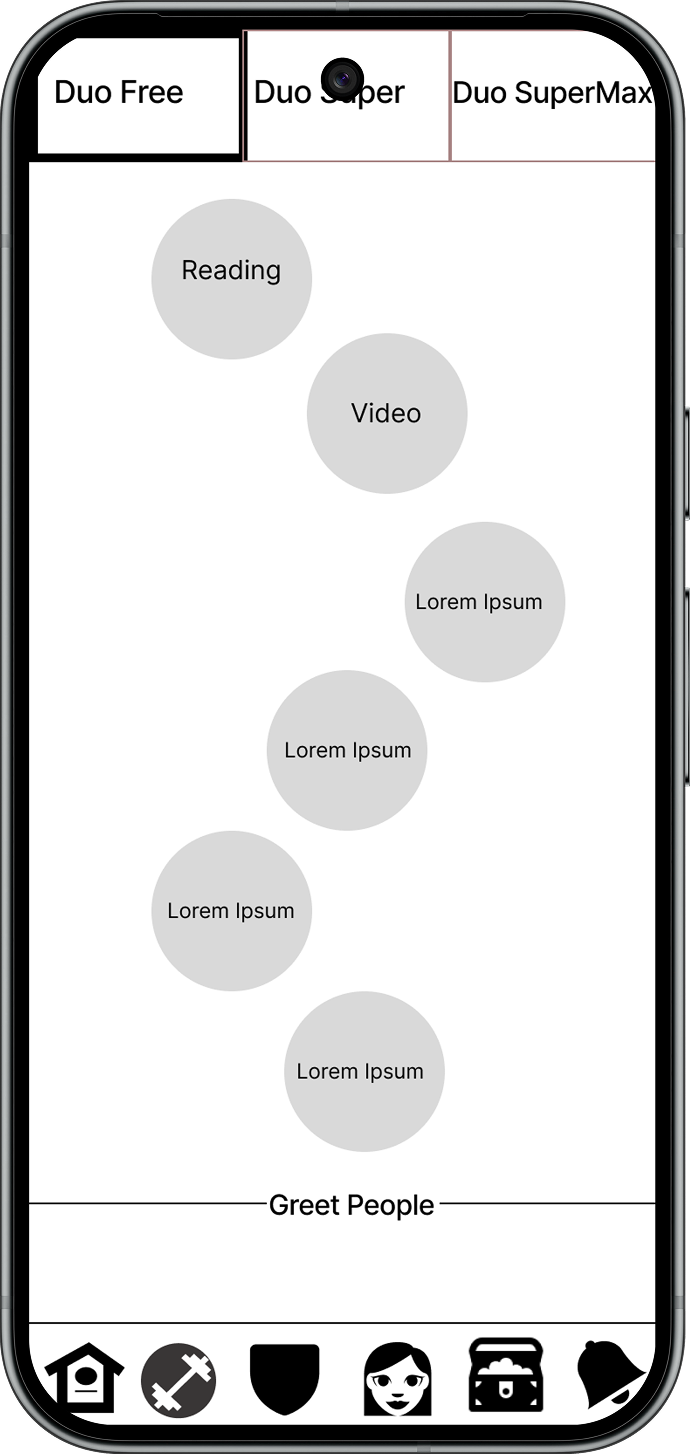
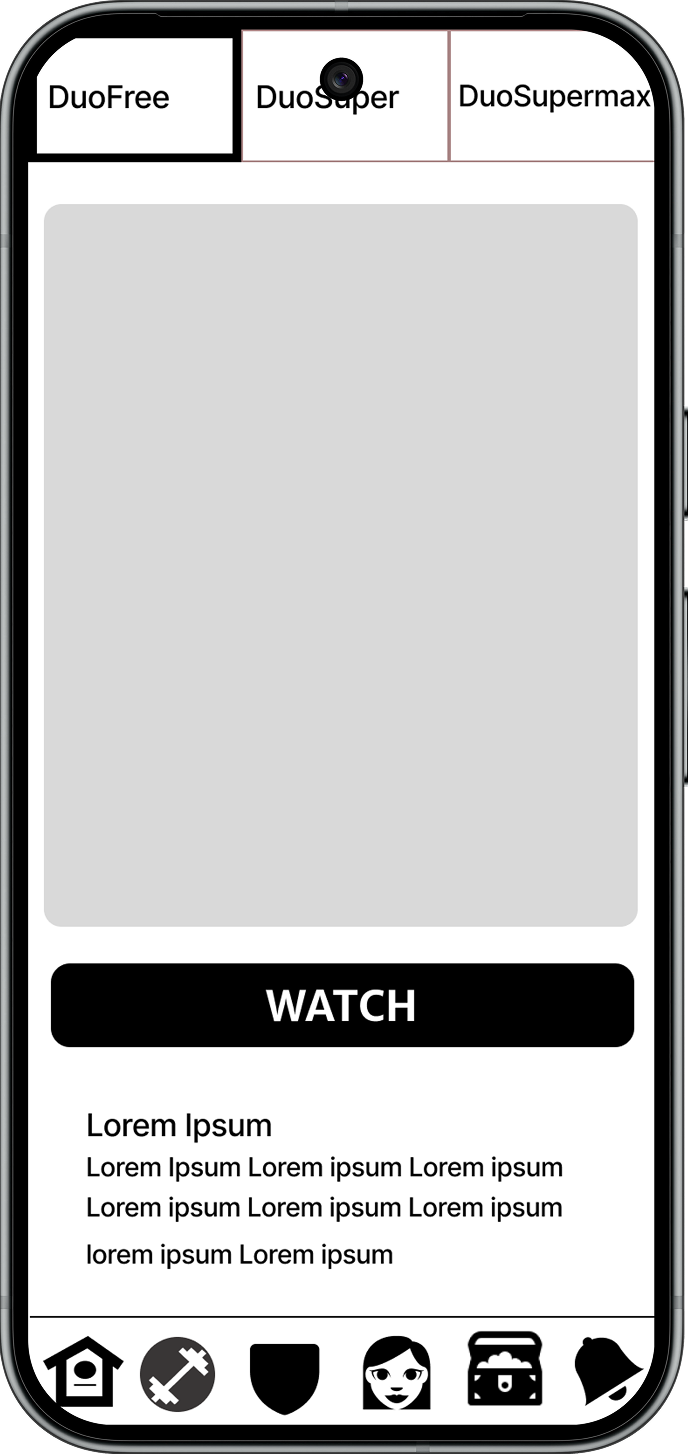
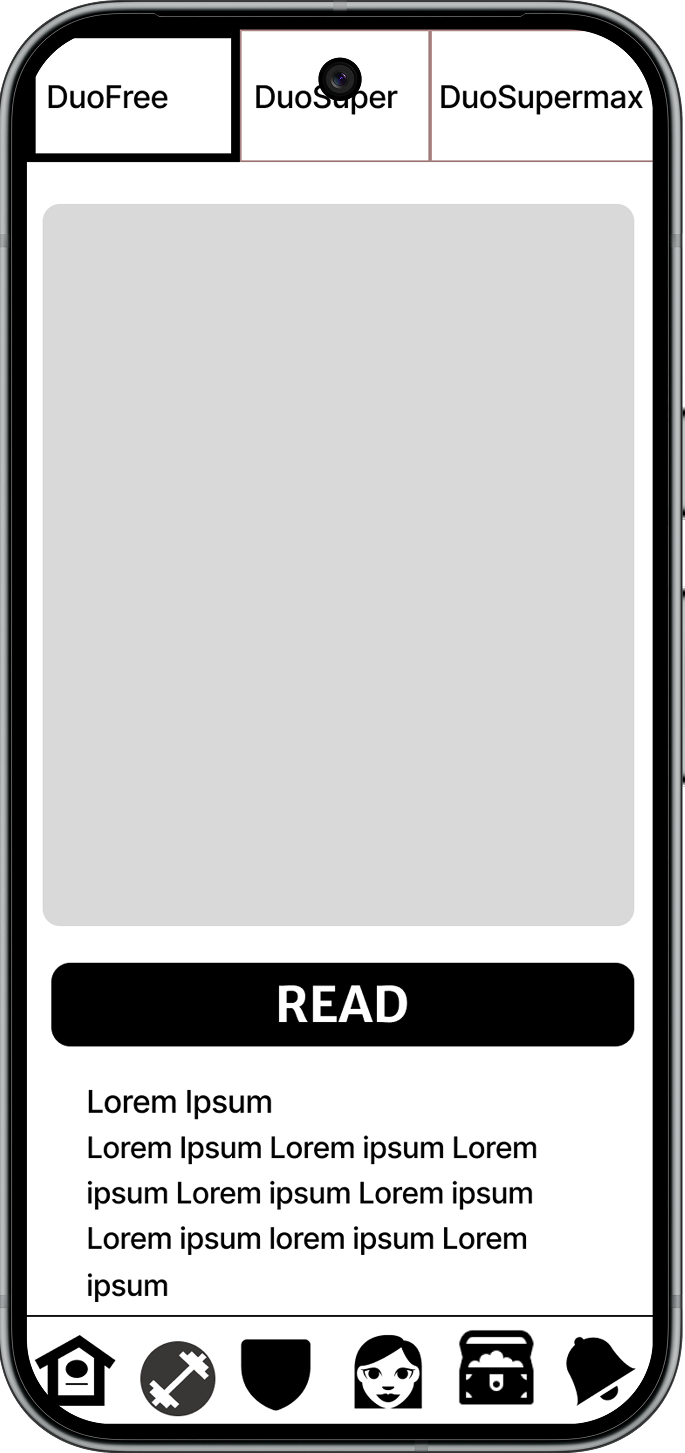
Our sketches taught us so much regarding the essentials of what our Media Center design would look like. For our low-fidelity prototype, we had not added “Back” buttons or “Play” buttons to start the videos. Additionally, users wanted to swipe and scroll to see the reading that was assigned to them that day. Lastly, they wanted pop-up translations of certain words in the reading for additional clarity. In our usability testing, we collected data that helped us as we designed our final prototype.
Data from Low-Fidelity Usability Testing
Quantitative:
75% success rate in all tasks
62.5% success rate without hesitations
On average, users went 30 seconds over on all tests
Qualitative:
Reading flow not intuitive, and the video flow was similar
Icons were difficult to understand
Participants wanted videos to be interactive
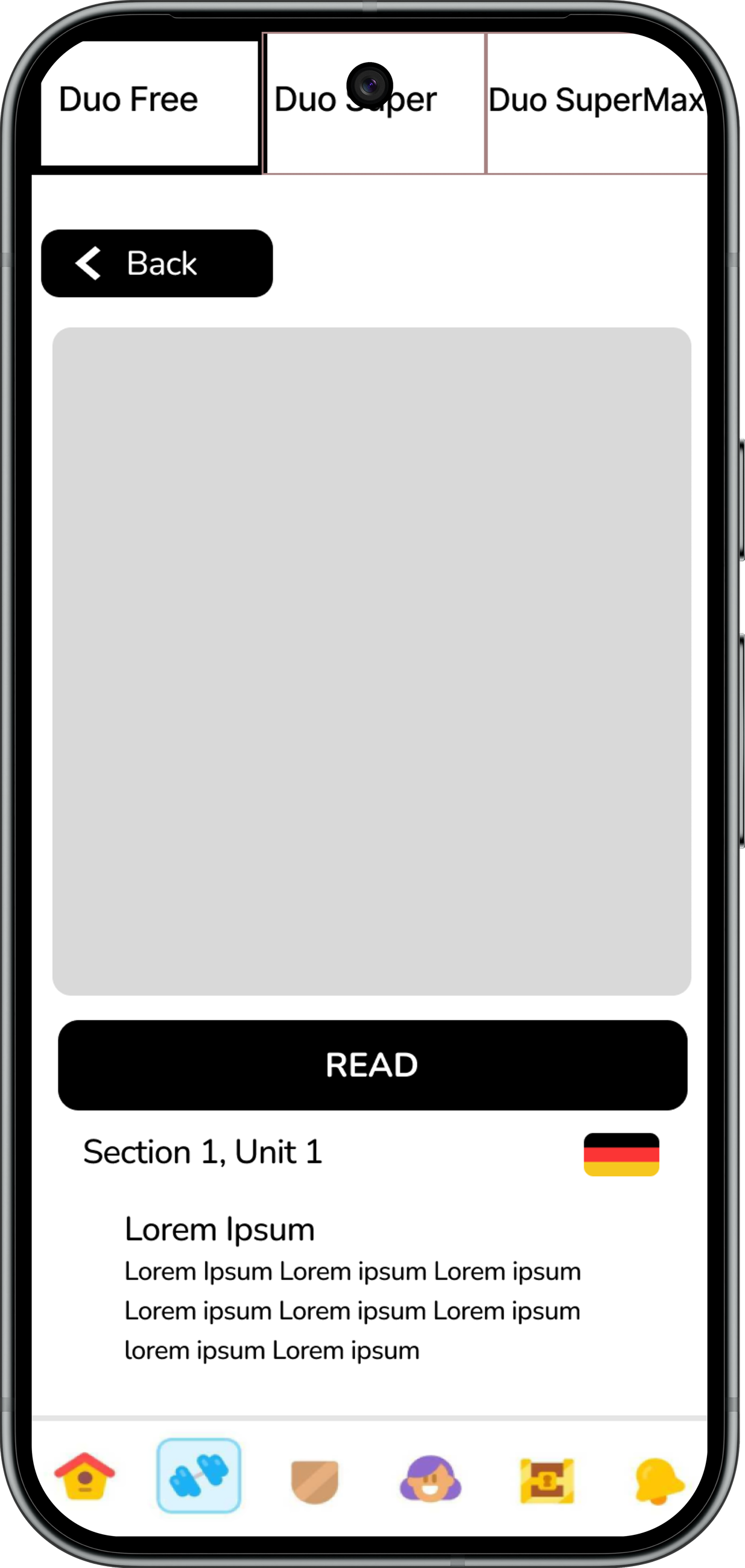
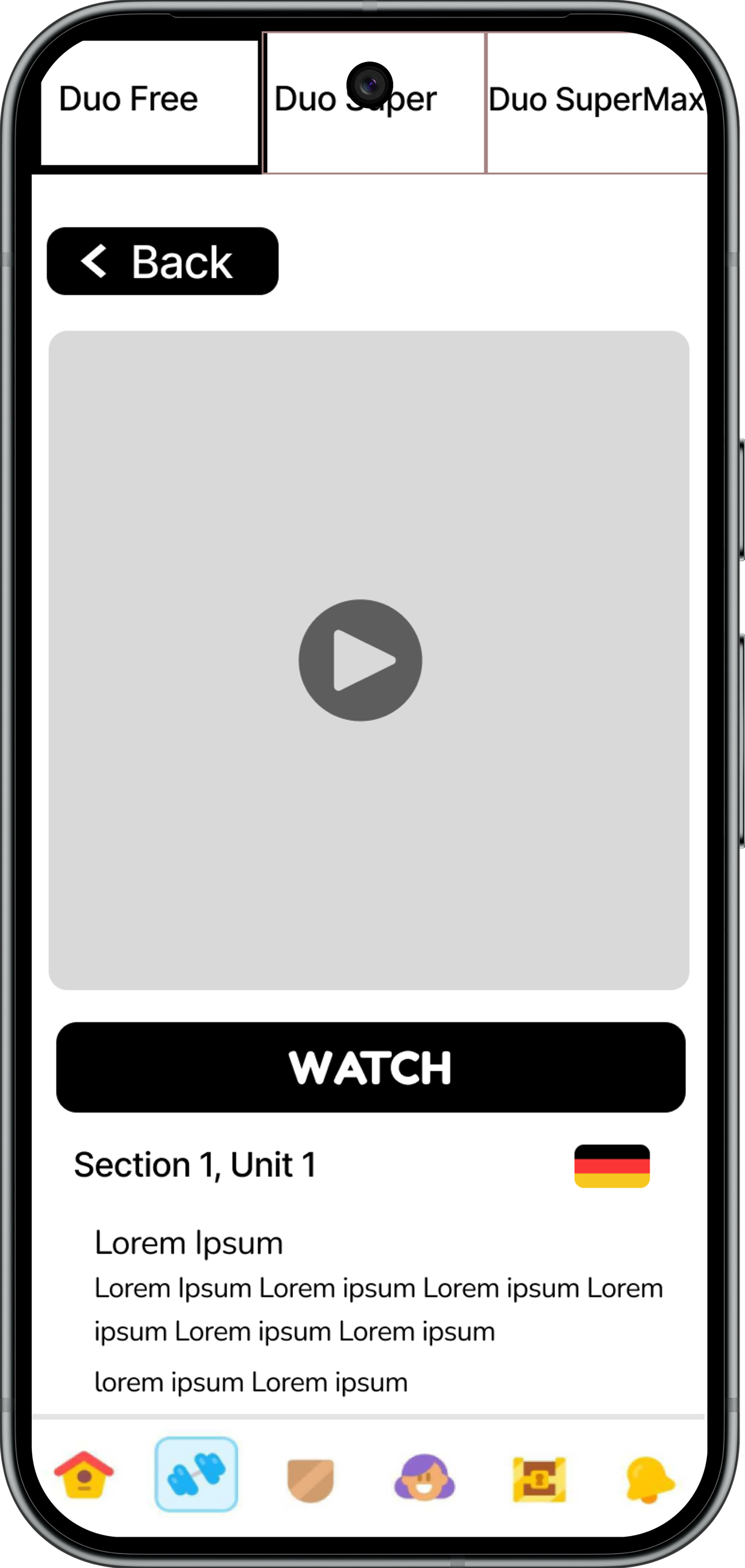
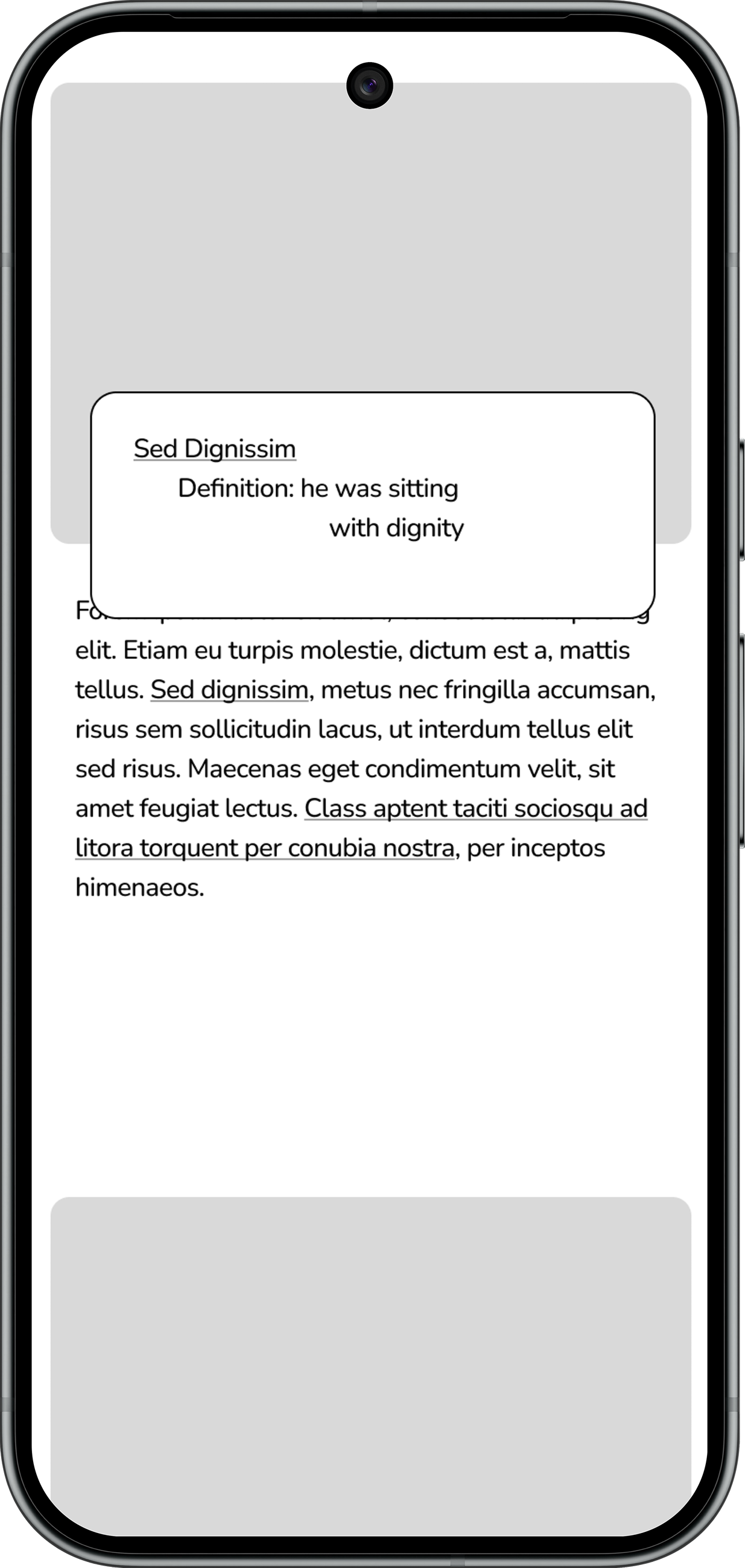
Data from Mid-FidelityUsability Testing
Quantitative:
95% success rate in all tasks
70% success rate without hesitations
Users completed all tasks within the time alotted
Qualitative:
The “back” button in the reading section was functional and the user was able to navigate back and forth freely
Incorrect translations were provided for each section in the reading lesson
Add in full texts and pictures
From both of the first couple of prototypes, we made some adjustments, including adding back buttons from the video to return to the task page and the lesson flow, correct translations from German to English and vice-versa, and updating the brand colors for accessibility concerns. With these adjustments, our design became more intuitive and easier to use.
Accessibility Concerns
As we prepared for our high-fidelity prototype, we tested our design to see if it met WCAG 2.1 standards for those with vision differences. Duolingo’s green color wasn’t quite there, so we changed it slightly. We noted that users with tritanopia and achromatopsia would struggle with the brand colors the most, but adjusted the Duolingo green and purple so they would meet the WCAG 2.1 guidelines. This ensured anyone who used the Media Center feature would have fewer issues while they completed their daily lessons.
Style Guide
To go along with our updated accessibility standards, our team referenced Duolingo’s existing style guide to make sure we stayed within their brand guidelines. Listed below are the brand colors, typeface, and font size. As we analyzed these guidelines, we also created a brand new Duolingo character: Robin! This friendly bird would accompany users on their language-learning lessons.
High-Fidelity Prototype
Using all of the research we collected, we moved on to create the high-fidelity prototype. Upon completing this design, our team came up with several Key Performance Indicators (KPI’s) we would want to pursue should we decide to return to the project in the future. Before we presented, we made some minor adjustments to make sure the prototype was as pleasant as possible for our users.
The stakeholders we presented our final design to responded with high praise to our intuitive and interactive new Media Center feature. The final prototype is shown below.
KPI’s And Next Steps
Our team had a wonderful time designing the new Media Center feature for Duolingo! We learned so much about Duolingo’s brand identity and how to fit this new feature within the confines of a two-and-a-half week sprint, which taught us to use our resources wisely. For future projects, we decided that, if we ever returned to the Media Center feature, we would want Duolingo to focus on the following KPI’s:
A 5% success rate increase in engagement with the Media Center feature per month
Currently at 19 million members
A conversion rate (free to paid subscriptions) increase of 3% per month
Currently at 54%
An increase of at least a 15% improvement of skill improvement scores per month
A retention rate increase of at least 5% per year
As with the completion of every project, there will always be more work that needs to be done. From here, we decided that we needed to pursue the following actions as our next steps.